Caller
The caller hears a steady voice.
No portal, no ticket number, no new behaviour. They call, speak naturally, and get a clear next step.
Vaani OS Platform
The Vaani OS platform orchestrates the full AI agent lifecycle — from first call to approved ERP, CRM, or EHR update — without a long internal engineering project.
Book a Demo →Ops handoff
Vaani OS does not replace your operating rhythm. It gives the repetitive calls to AI, keeps exceptions with people, and makes every handoff visible enough for managers to trust.
Caller
No portal, no ticket number, no new behaviour. They call, speak naturally, and get a clear next step.
Reviewer
Every call becomes a reviewable record with transcript, intent, confidence, owner, and downstream action.
Manager
Supervisors can spot hangups, low-confidence captures, peak-hour load, and which workflow needs tuning.

Friday review
Tune the agent from real calls, not abstract chatbot prompts.
Full pipeline deep-dive
Five controlled stages give ops teams visibility without turning every deployment into an IT project.
Step 1: CONFIGURE
Connect your phone number. Upload your SKU catalog, appointment intake form, or product list. Set your agent's name, language, and business hours. No engineering team required.
Agent configuration
DraftAgent name
Primary language
Business hours
Catalog file
Step 2: DEPLOY
Your AI agent can answer calls the next business day after routing and workflow setup. Vaani OS manages telephony and voice infrastructure, with peak-call capacity planned during deployment.
Step 3: CAPTURE
Real-time streaming STT in 8 Indian languages. LLM extracts structured intent (order items, booking details, loan requirements) in every turn. Full transcript logged.
●Live Transcript · Vaani OS
STT → LLM → TTS
Capture ready for review
Step 4: REVIEW
Every AI-captured outcome sits in a queue. Your ops team reviews, edits if needed, and approves. One click pushes to your ERP, CRM, or EHR.
Approval queue
12 pendingA G Enterprises
2 SKUs · ₹18,420
Riverside Dental
Cleaning appointment · Tuesday
NovaCare Clinics
Follow-up booking · Dr. Mehta
Step 5: OPTIMISE
Weekly email digests. Call log analytics. Capture rate by day, hour, and territory. Heatmaps show you when your distributors call — and when they hang up.
Weekly analytics
Last 7 days87 sec
Order call
0
Unapproved push
8
Language flows
Operating surfaces
The product is organized around four operating moments: live monitoring, approval, call review, and weekly optimisation.
live route dashboard
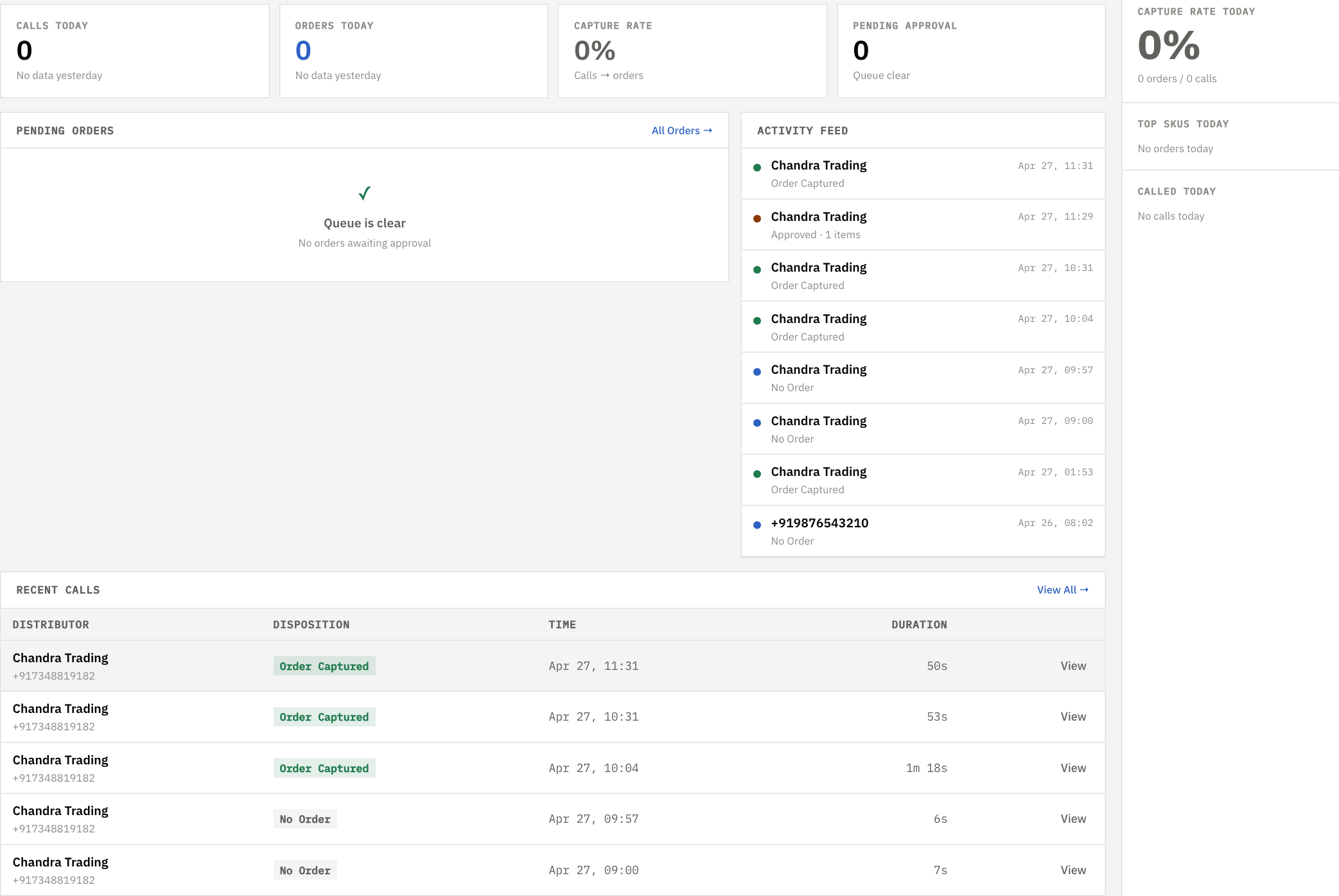
FMCG command view
Inbound call activity, queue state, recent captures, and review load on one operator screen.
approval before push
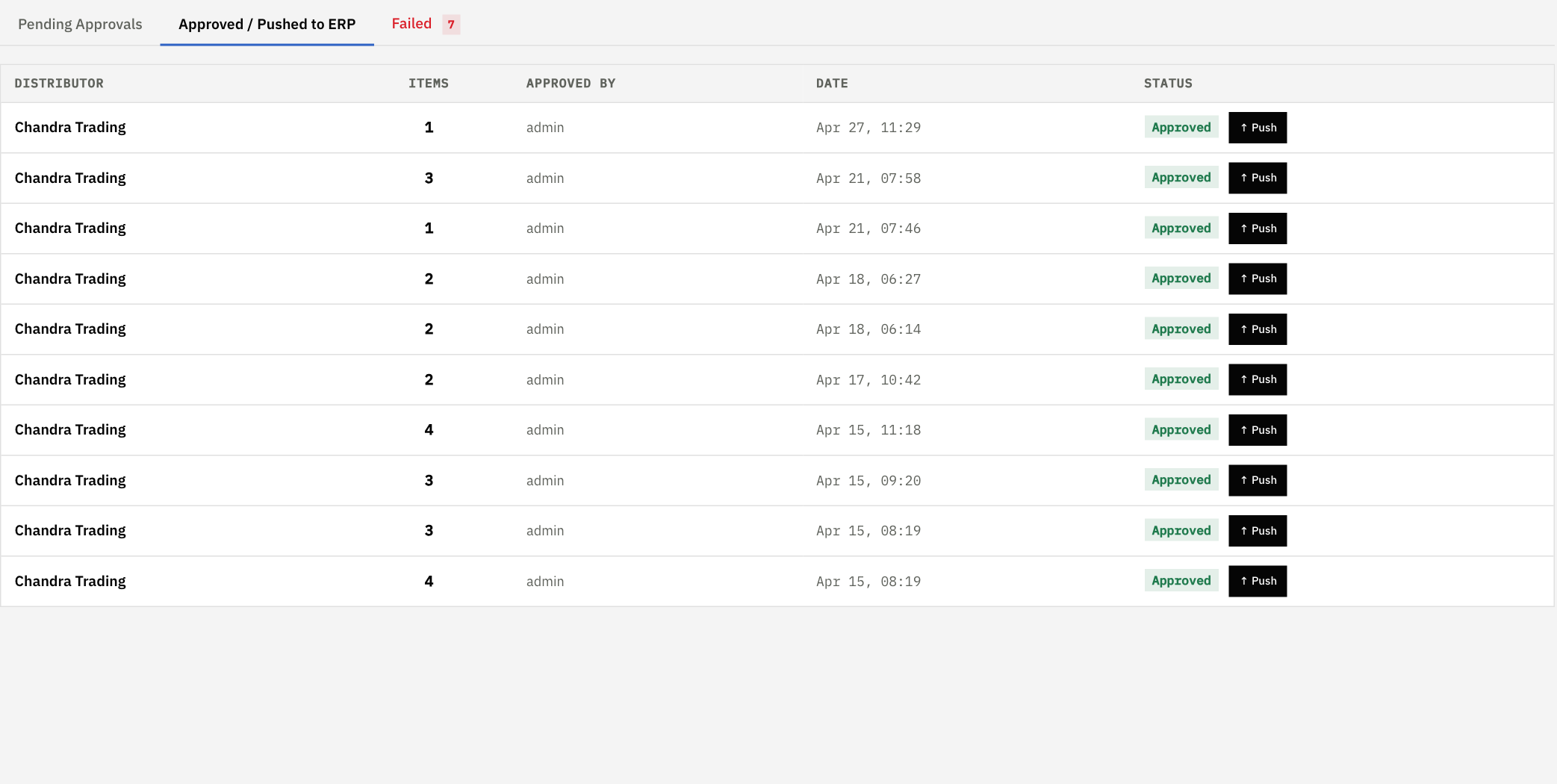
Order approval queue
Approved orders remain visible before ERP push, with counts and operator ownership.
clinic review surface
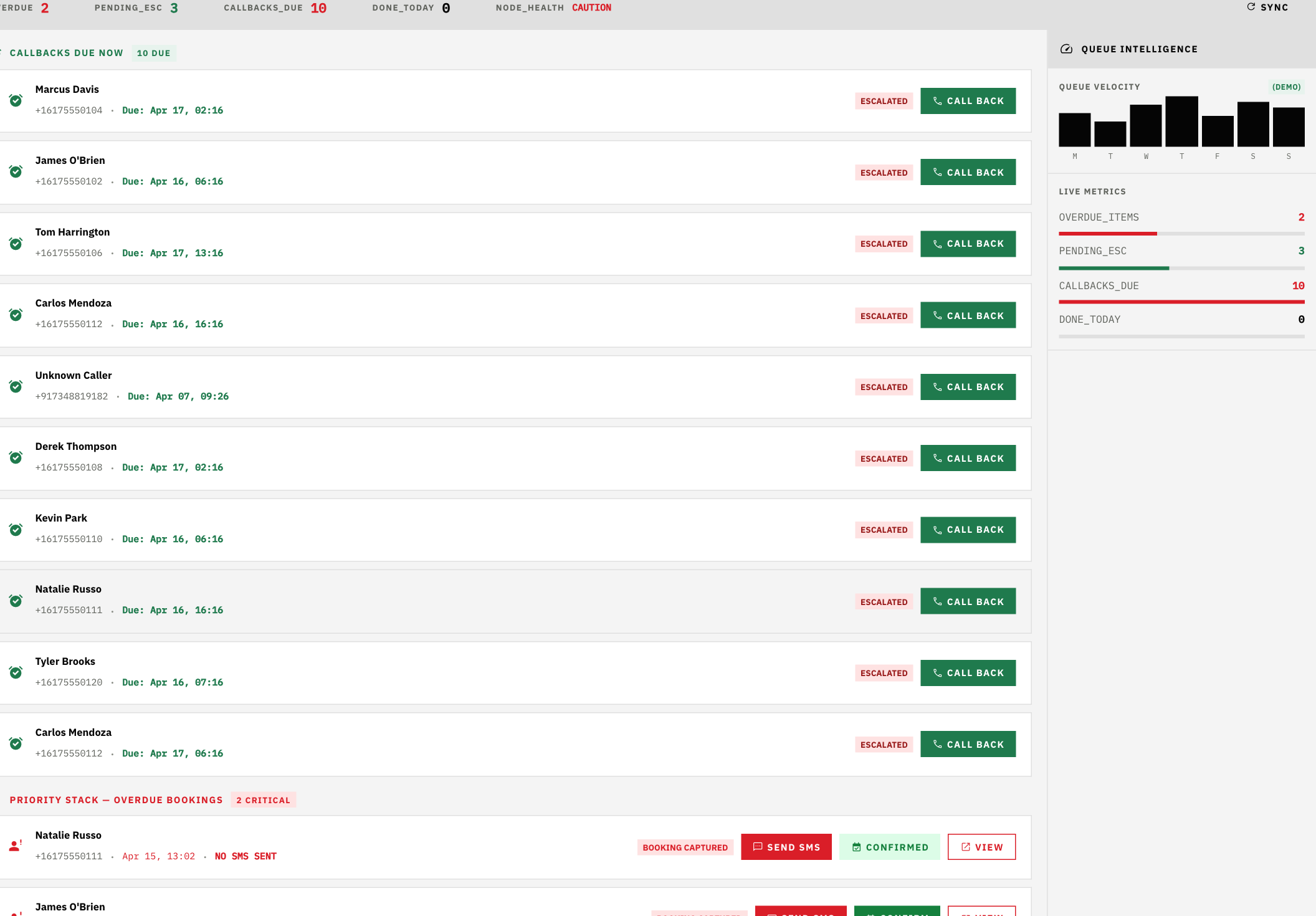
Healthcare action queue
Escalations, callbacks, SMS actions, and confirmations stay inside one booking queue.
ops tuning surface
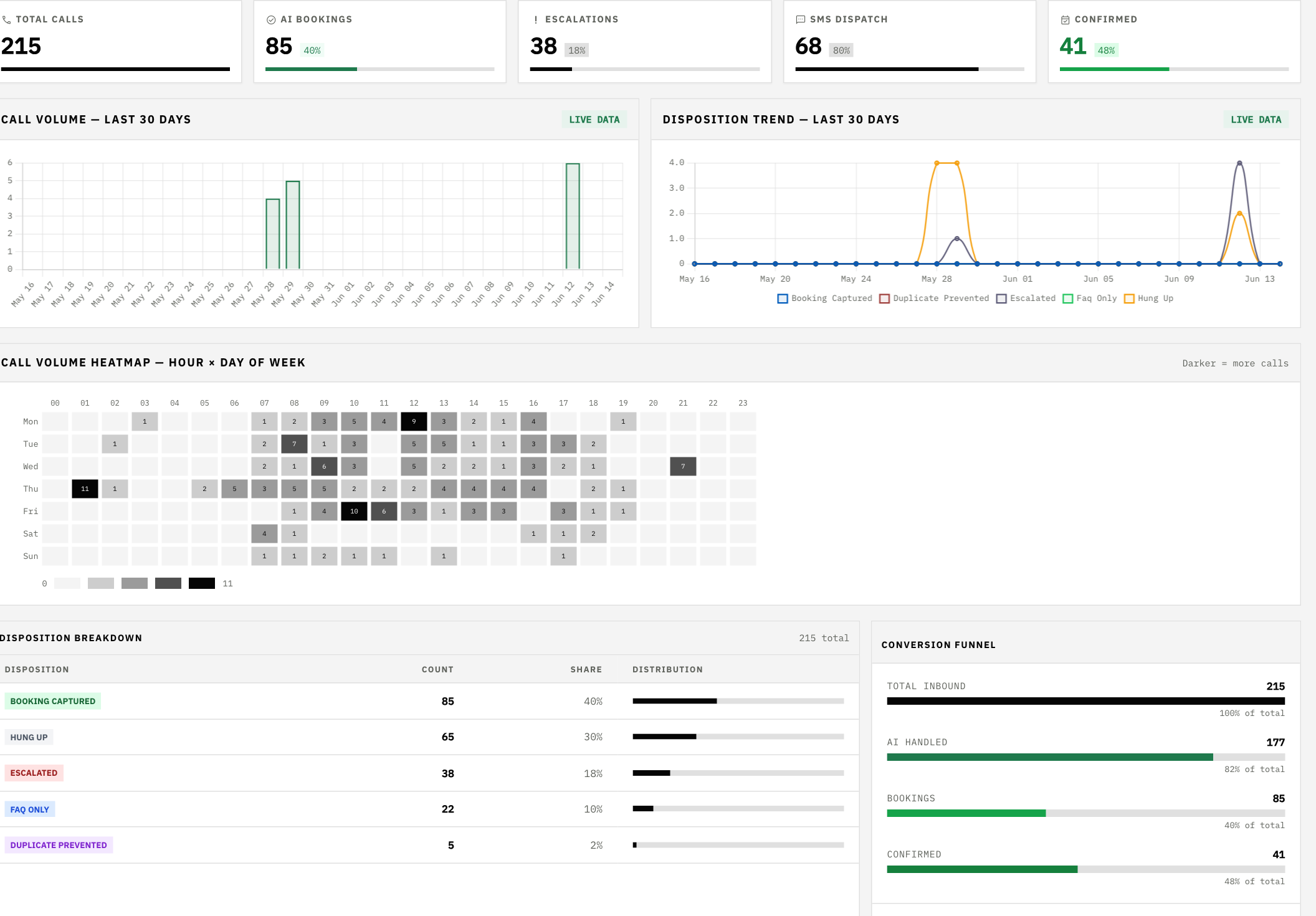
Weekly optimisation
Disposition trend, timing heatmap, and funnel metrics support weekly workflow tuning.
Book a 30-minute demo. We'll show you a live call — in your language, with your industry's real scenarios.
Book a Demo →